Animated lower thirds
Name straps for guests, analysts and casters: name, role, quote or social handle. Animate in, hold, auto-dismiss — or leave them up until you clear them.
CueFinch is a broadcast character generator (CG) for streamers and production teams. Build animated lower thirds, stream overlays, scoreboard bugs and news tickers — then put them on air over your stream with a single OBS browser source.
Football and basketball commentary, news and talk shows, esports, podcasts — anywhere a live picture needs a name, a score or a headline on top of it.
Runs on your own Windows PC. No cloud upload, no capture card, no per-seat monthly fee.
Broadcast engineers call it a character generator (CG). American crews say chyron, after the company whose name became the generic word for an on-screen title. Post-production people say titler or titling software. On Twitch, YouTube and Kick everyone just says lower thirds and stream overlays. They all describe the same job: putting live text and graphics over a live picture. CueFinch does that job in plain HTML5, so any encoder with a browser source can show it.
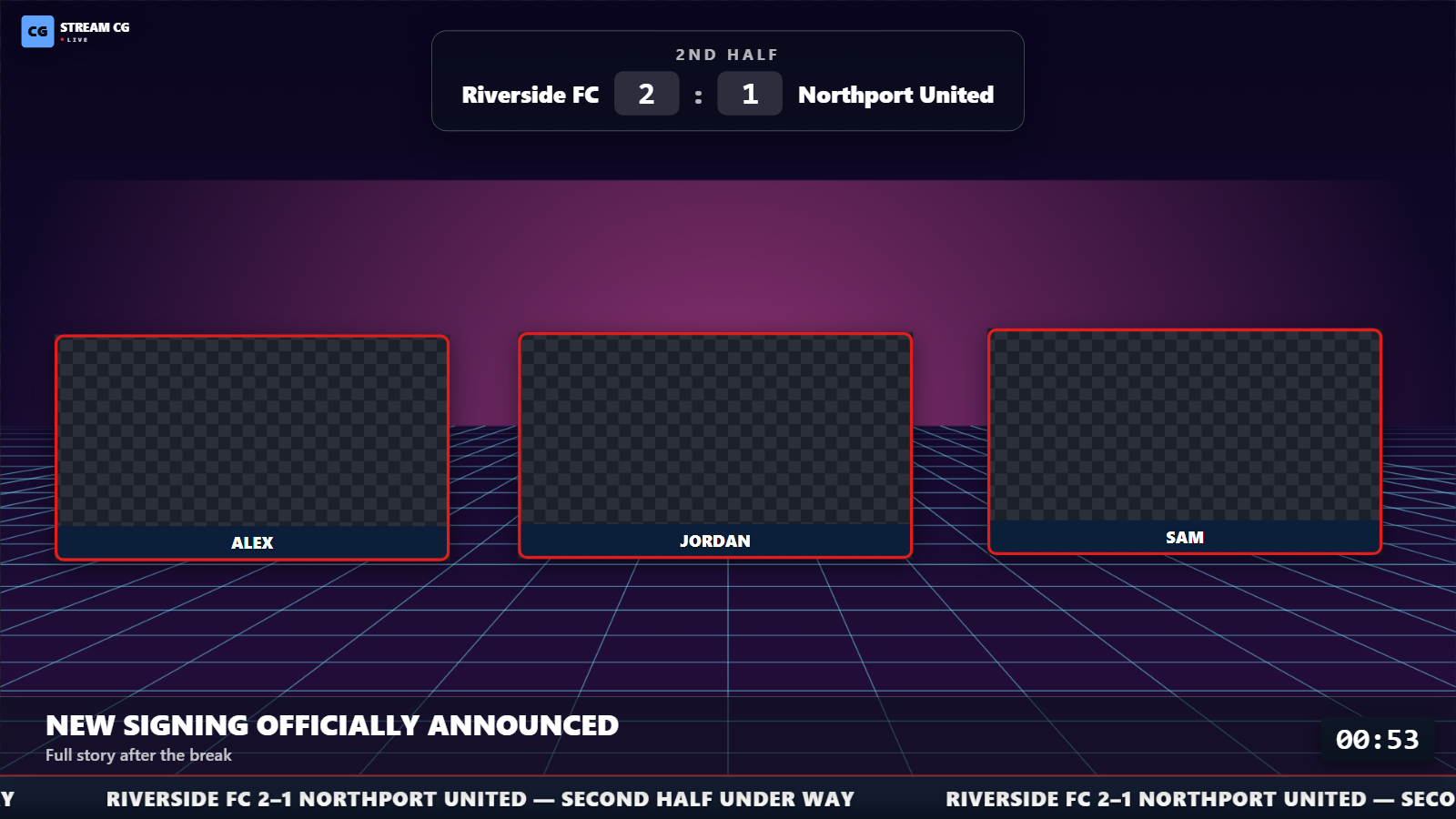
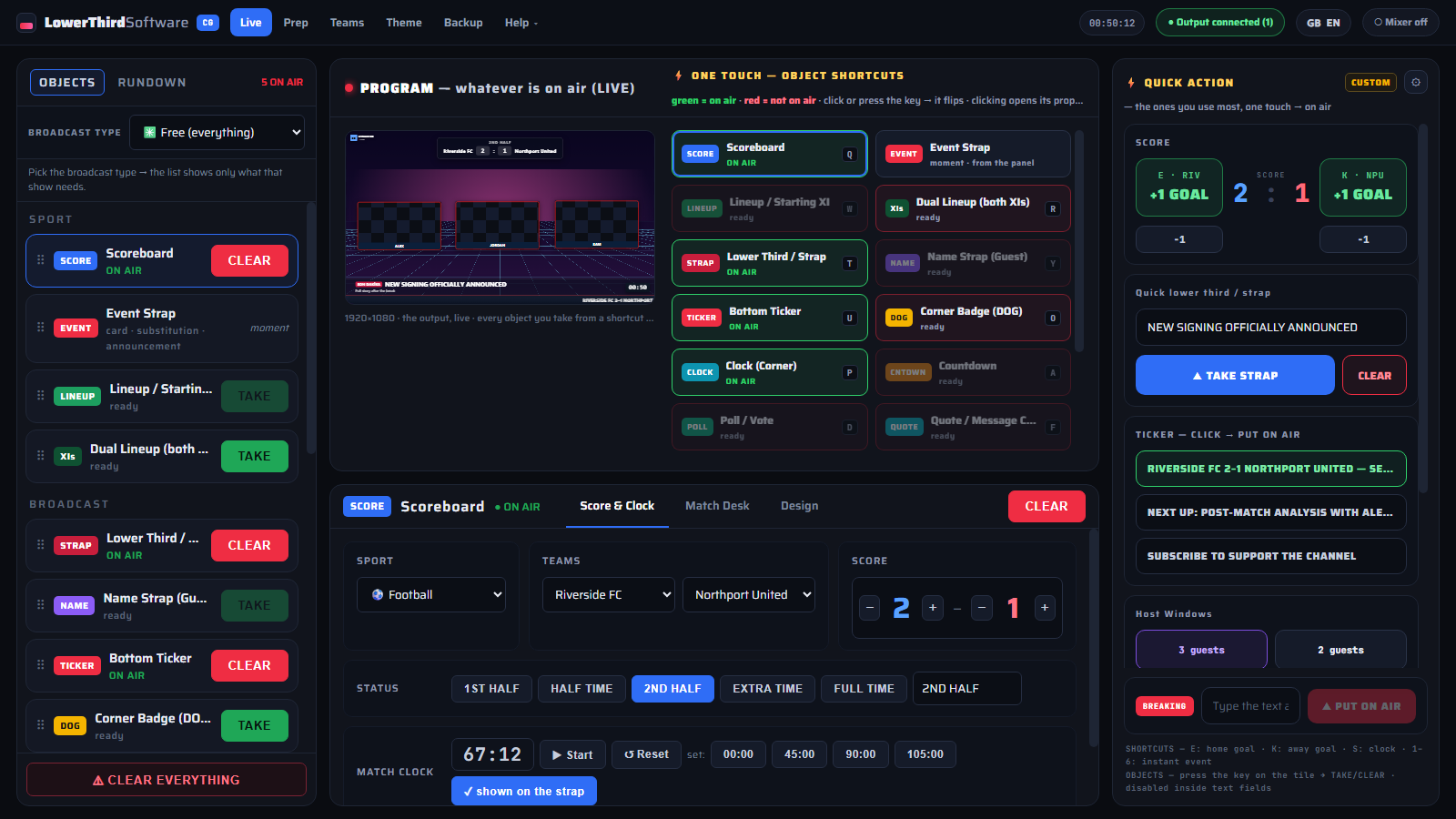
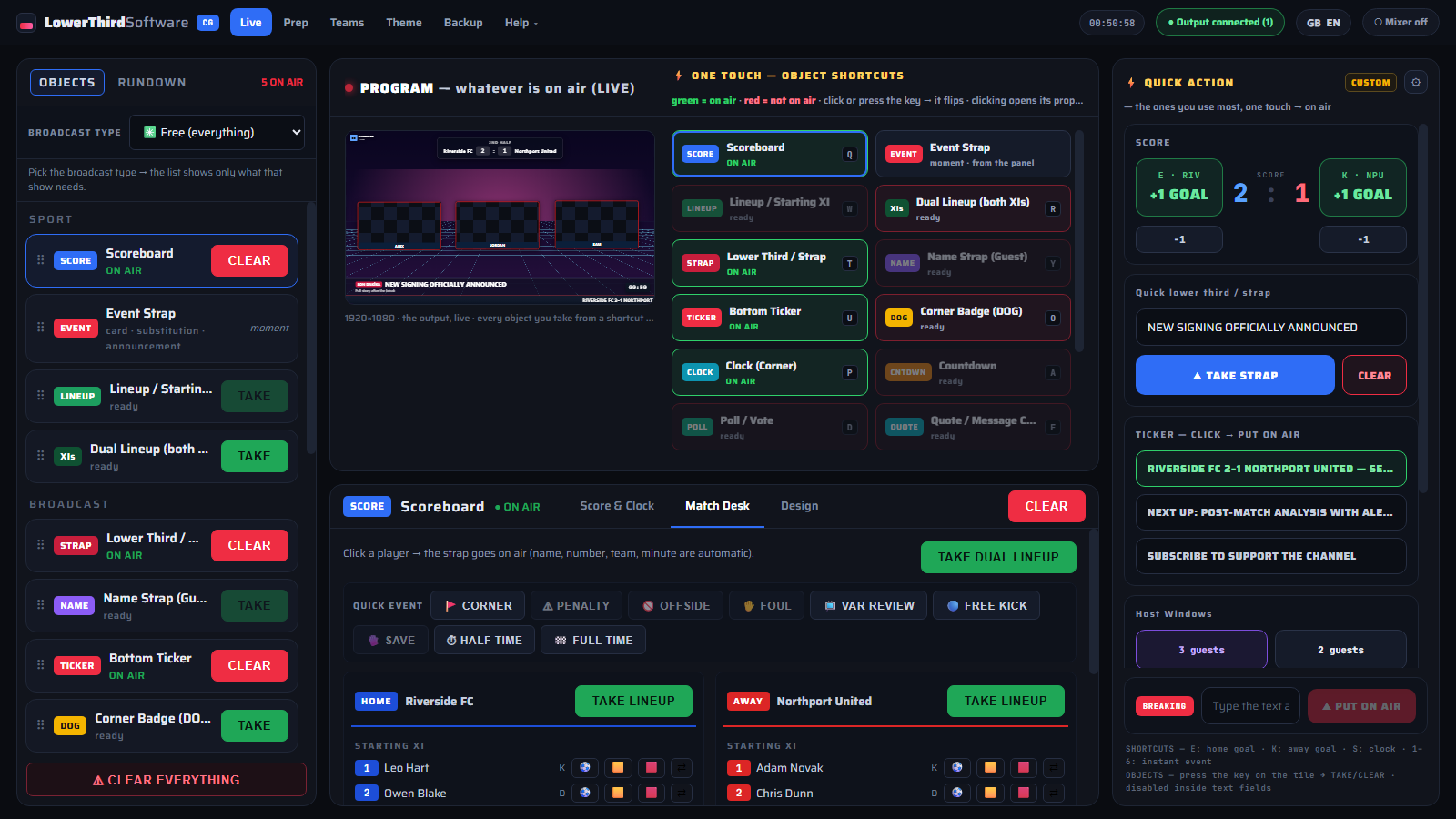
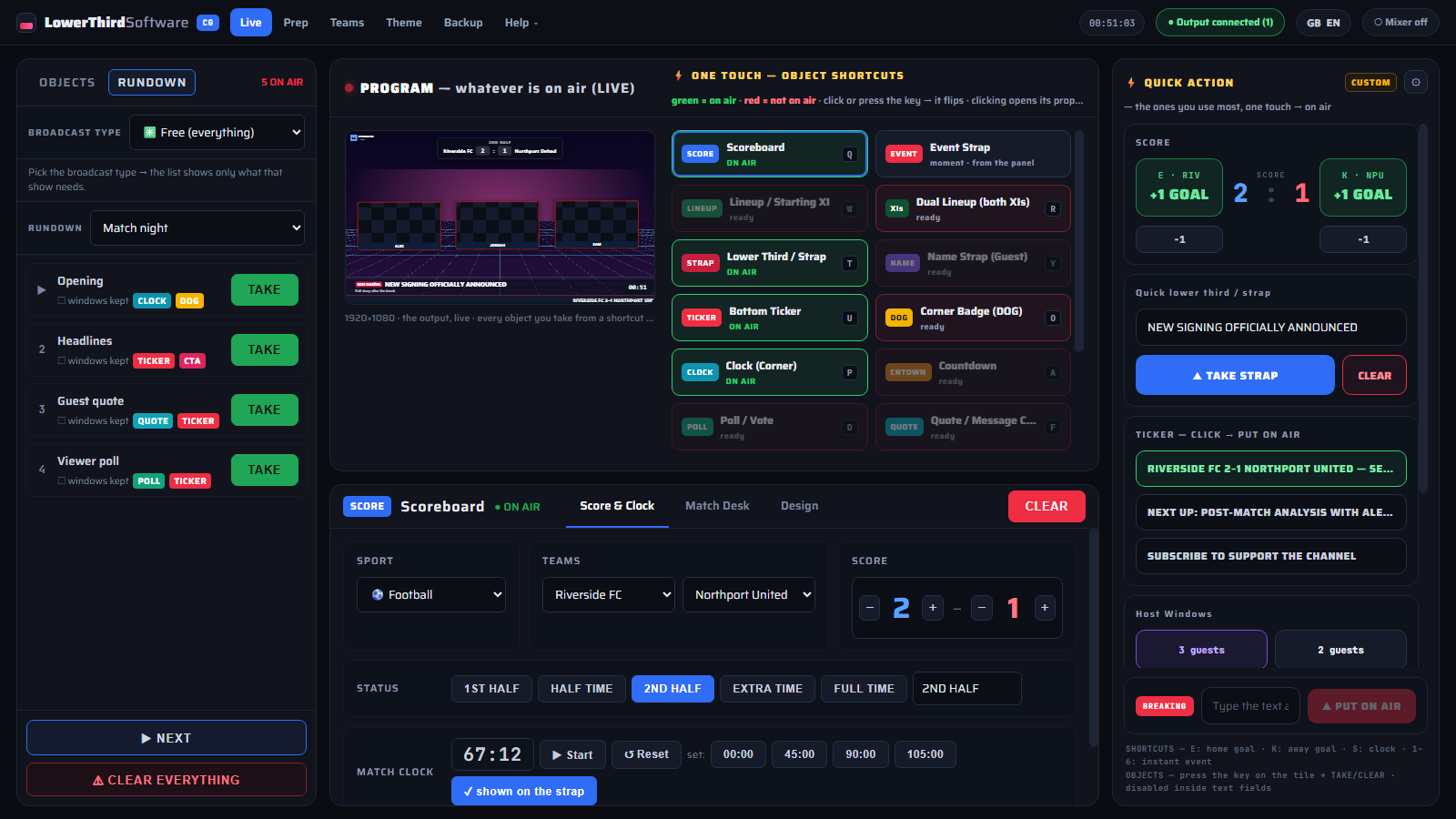
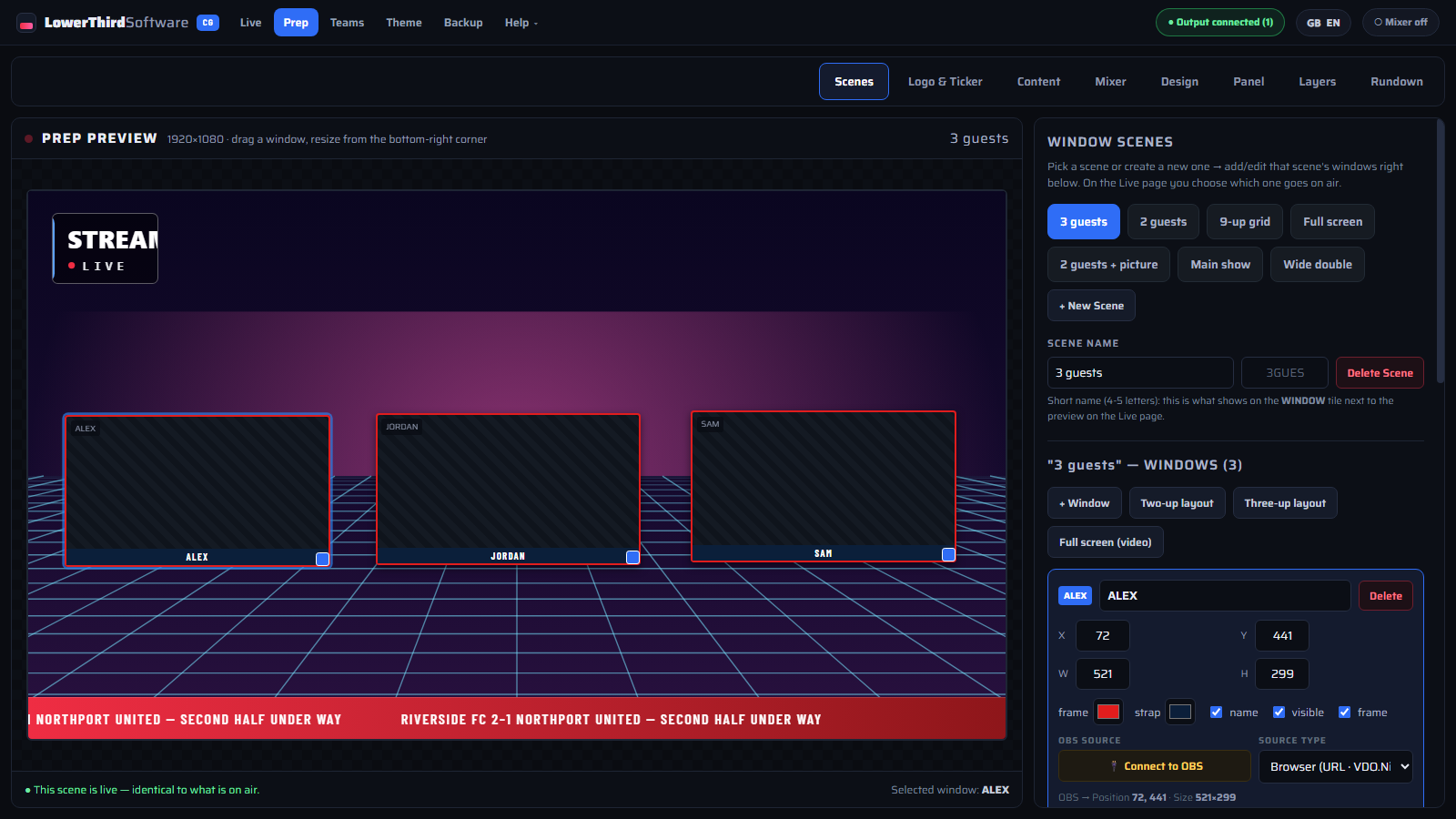
Real screenshots from the app. Click any image to open it full size.
Short step-by-step videos, one to two minutes each (in English) — from your first lower third in OBS to running a full match or talk show.
 01
01
 02
02
 03
03
 04
04
 05
05
 06
06
 07
07
 08
08
 09
09
 10
10
No hardware, no capture card, no complicated install. Your encoder does the compositing; CueFinch draws the graphics.
The app runs locally on your Windows PC and opens in your browser. Enter names, teams, colours, headlines and ticker messages — or import a squad and let the panel fill them in.
In OBS Studio, vMix or Streamlabs, add a browser source pointing at http://localhost:5275/output at 1920×1080. The page is fully transparent, so only the graphics land on your scene — or connect OBS once and let the app build the scenes and sources for you. Step-by-step OBS setup →
Click TAKE (or press a shortcut) and the graphic animates on air; CLEAR takes it off. Commands travel over a WebSocket, so the overlay reacts in the same frame you click — no refresh, no restart.
A complete live graphics kit. Every element is HTML5 and animates in and out on command.
Name straps for guests, analysts and casters: name, role, quote or social handle. Animate in, hold, auto-dismiss — or leave them up until you clear them.
A score bug with team colours, live match clock and period indicator for football and basketball, plus goal, card and substitution graphics.
A seamless bottom crawl for headlines, sponsors or chat highlights — with optional ALL CAPS and animated message changes — plus a headline band in three styles: breaking, latest, or a plain title with a line underneath.
Drag every graphic where you want it, save window layouts per scene, and switch between design families that follow your own brand colours.
TAKE / CLEAR / UPDATE travel over SignalR (WebSocket). Scores and clocks update live on screen without re-taking the graphic.
Seven complete graphic packages out of the box — each one covers name straps, score bugs, tickers, cards and announcements in a consistent style.
Anything that can open an HTML5 browser source: OBS Studio, vMix, Streamlabs, Restream Studio, XSplit. NDI output for studio vision mixers is on the roadmap.
Everything runs on your machine — no account, no upload, no dependency on a service staying online. Back the whole setup up to a single zip file.
Six ready-made call-to-action cards for streamers — subscribe, like, follow, turn on notifications, share, join the chat. One click plays it; it leaves on its own when the time is up.
Upload each advertiser’s own banner artwork (1920×160), pick tonight’s sponsors and the ad band above the ticker cycles through them every few seconds. Artwork is never stretched.
A full-screen “be right back” card with your title, sponsor logo and a live countdown — for the moment you step away from the desk.
Put a viewer poll, a pull quote, a countdown to kick-off or an “up next” card on screen, each in the same design family as the rest of your graphics.
Graphics are half the job. The other half is getting them on air at the right second while you are still talking — so the control side got just as much work.
Football, basketball or volleyball commentary, news bulletin, talk show, gaming stream. Choose the broadcast type and the panel shows only the graphics that show needs — no score bugs cluttering a podcast.
Goals, cards and substitutions straight from the squad list: click the player, click the event, and it is on screen with the minute and the new score. Live match clock with start, stop and set.
Single keys for home and away goals, the match clock and six match events, plus a key for every graphic — take and clear without reaching for the mouse. Shortcuts stay quiet while you type.
For news, talk and magazine shows, build the running order in advance: every row is a scene with its graphics, windows and sponsor break. Press TAKE and the previous row comes off as the next goes on.
Connect over obs-websocket (built into OBS 28 and later) and the app creates your scenes and sources, positions guest and camera windows, and keeps the graphics layer on top. Nothing is removed without asking.
Prefer vMix? Connect through its Web Controller API and window layouts are placed on your existing inputs. A badge in the top bar always shows which mixer is connected.
Decide what sits on top of what — windows at the bottom, graphics above, breaking news above everything — and give each graphic its own entrance: slide, fade, drop in or cut.
English, Turkish, German, French, Italian, Spanish, Russian, Japanese and Arabic (right-to-left). Switch from the top bar at any time; the fonts ship with the app, so it works offline.
The same engine serves a one-person Twitch channel and a multi-camera studio gallery.
Give your channel the look of a broadcast studio: a proper name strap when a guest joins, a score bug during a watch-along, a ticker with your schedule.
Built first for match commentary without match footage: score, clock, cards, substitutions and squads all driven from one panel while you talk over the game.
Name and title every speaker, run a headline crawl, and fire a breaking-news band the moment a story lands.
A lightweight live titler that sits next to your switcher instead of replacing it — HTML5 graphics your operator can drive with the keyboard.
Most people arrive here from one of five places. Here is the honest difference.
| Video-file lower thirds (After Effects renders) | A rendered .mov looks great until the name changes. Here the text is live data: type it, take it, change it mid-show without re-rendering anything. More on animated lower thirds → |
|---|---|
| CasparCG | CasparCG is a powerful open-source playout and CG server, but you build the client and the HTML templates yourself. This is a finished control panel for the same idea. CasparCG alternative → |
| vMix titles | vMix titles live inside vMix, at the licence tier you bought. This runs beside any encoder — including OBS — and stays in one place if you switch. vMix titles alternative → |
| Chyron and other broadcast CG systems | Full broadcast CG systems are built for playout chains, newsroom integration and hardware keyers. This is the same on-screen result at streaming scale and price. What people mean by “chyron” → |
| Browser-based overlay services | Cloud overlay sites go down with their servers and charge per month, per seat. This installs on your PC and keeps working with the internet unplugged. |
A boring, proven stack on purpose — stability matters more than novelty when you are live.
The output is a single transparent HTML page. Your encoder composites it over the video on the GPU, exactly the way it composites a webcam — so there is no extra render pipeline to go wrong. How HTML5 overlays work →
Plain-language explanations of the tools, the terminology and the setup — written for people who have to go live tonight.
The questions we get asked most about live stream graphics.
CueFinch is in public beta. Install it on your Windows PC, add one browser source to OBS and put your first lower third on air in about five minutes.
⬇ Download for WindowsFound a bug or missing a graphic? Write to tahirfeyzioglu@gmail.com — beta feedback decides what goes into version 1.
The beta installer is not digitally signed yet, so your browser and Windows may show a warning. The file is safe — follow these steps.
If the browser says the file “isn’t commonly downloaded” or “may be dangerous”, choose Keep / Download anyway in the downloads list. In Edge: … → Keep → Show more → Keep anyway.
When you open the file and “Windows protected your PC” appears, click More info, then Run anyway.
If Windows asks to allow changes, click Yes and finish the wizard. The control panel opens in your browser; under Help ▾ → License, click Start the trial.
Then add one browser source in OBS: http://localhost:5275/output, 1920×1080. Step-by-step OBS setup →
Why the warning? Windows and browsers flag every new program that is not yet digitally signed and widely downloaded. Only download the installer from lowerthirdsoftware.com.
Download didn’t start? Download again
We use Google Analytics cookies to see which pages are useful. Nothing is collected unless you accept.